No cable needed.
An attacker may reach a device through its radio connection without passing through your network firewall.
RF & WIRELESS PROTECTION
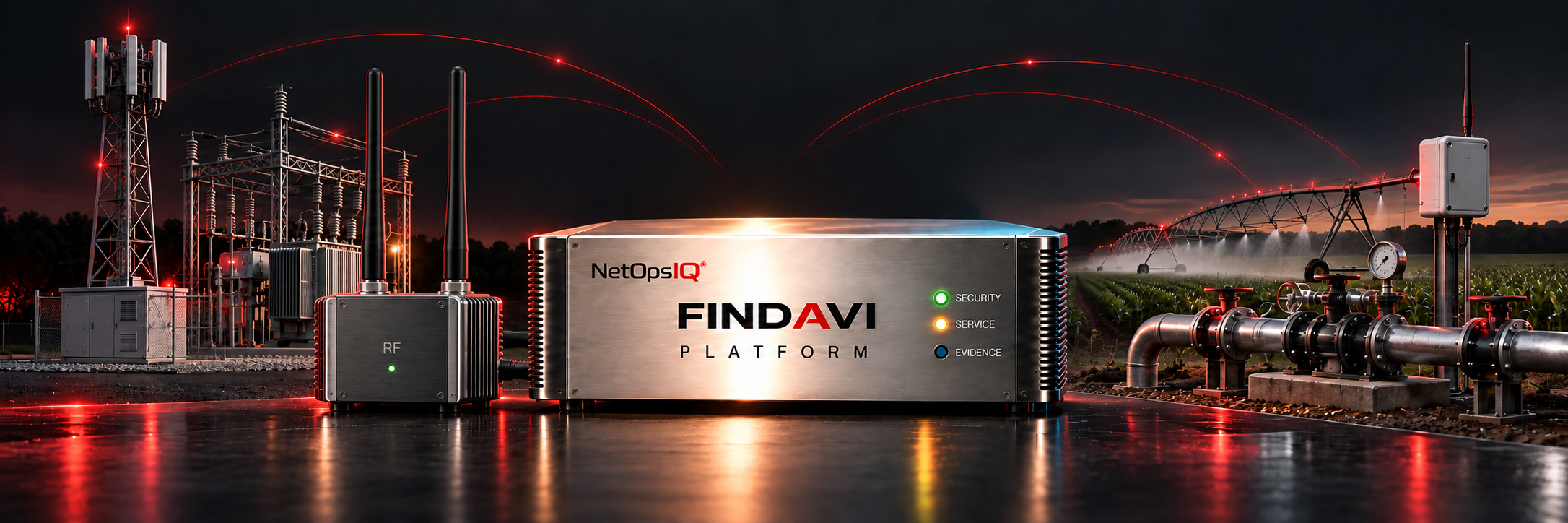
Cameras, badge readers and controllers can communicate over cellular and other radio links outside your network firewall. Findavi watches your network traffic through a mirror port, and the radio links in range of an RF switch at your site. For cellular modems it can’t hear, our team walks the site. It finds devices, detects threats and takes action under your rules. Then it checks that the threat was stopped and the device still works.
THE PROBLEM
Your firewall monitors traffic that passes through it. A pump controller’s cellular modem, a door reader’s badge connection or a sensor’s radio link can take a different path. Those connections need to be monitored too.
An attacker may reach a device through its radio connection without passing through your network firewall.
A separate radio connection can carry traffic that your network security tools never see.
IT watches computers, physical security watches doors, and responsibility for the radio links can fall between teams.
WHAT FINDAVI LISTENS TO
When a controller, alarm panel or kiosk with a cellular modem is also on your network, Findavi sees it there. It alerts your team when the device drops off or acts differently, and it can cut the device off from the rest of your network.
The cards and tags your people use every day. Findavi protects supported RFID systems and checks that real employee badges and tag reads keep working.
The radio links that carry data from sensors, meters and building systems back to the network. Findavi learns their normal activity and flags unexpected devices, connections and changes.
Findavi flags wireless devices in range of the RF switch that show up where none were approved, including equipment missing from your inventory.
An RF switch connects Findavi to the radio side of your site. A network mirror port provides passive network visibility. Findavi uses both connections to find devices, identify threats and respond. Your team approves where it connects and what it can do.
Findavi records the devices and radio activity it finds in the areas it monitors. Each finding identifies the device and the team responsible for it.
It points out the easy ways in: factory passwords, remote access left open, and devices anyone on the internet can reach. Internet-facing controllers were targeted in the water-sector incidents described in our threat guide.
Findavi learns normal network and radio activity, detects unexpected connections and behavior, and records the evidence behind each alert.
It responds within your rules, then checks that the threat was stopped and the device is still doing its job. If either check fails or evidence is missing, the issue stays open. Every action is recorded.
YOU STAY IN CONTROL
Findavi monitors devices and radio links around the clock. Your team chooses observation, individual approval or autonomous responses within rules set in advance.
Findavi finds and reports. Your team makes every move.
Findavi proposes the fix and waits for a person to approve it.
Findavi acts within the device and action limits your team approves, then tells you what it did.
Start in Observe mode and allow more actions as you review the results.
PROVEN IN THE FIELD
A 4G modem back door into a control screen found, plus remote-access tools open to the internet.
In a controlled demonstration on an operator's equipment, Findavi detected and stopped test attacks on the RFID system and on heating and cooling controls. These were demonstrations, not live incidents.
FITS THE SITE YOU ALREADY HAVE
Findavi runs on a dedicated appliance at your site, connected to your network and RF switch. Your team sets its access and operating rules.
Findavi monitors radio links and devices that need coverage alongside your existing security tools.
Findavi listens to radio links. It does not jam or block the radio signals your devices depend on.
RF & WIRELESS / BOOK FIVE
Seven short chapters on the radio links that walk around your security, and how to close a risky path while the door keeps working.
CONTINUE WITH BOOK SEVEN / PRIVATE CELLULAR NETWORKS
Book Five covers links that go around the firewall. Book Seven follows a private cellular path into a power plant’s controls and examines what monitoring inside the plant could reveal.
No. Keep your firewall in place. Findavi works alongside it to protect devices and monitor radio links outside its view.
No. Findavi listens. It doesn't jam or block the channels your devices use.
Not directly. When a device with a cellular modem is also on your network, Findavi sees it there and can cut it off from the rest of your network. A modem that talks straight to a cell tower is out of view, so our team finds those by walking the site and checking the hardware.
Findavi connects to your network through a mirror port and to the radio side through an RF switch. We plan the setup with you during the blind spot assessment.
Findavi detects and responds to attacks on supported RFID systems, then checks that authorized badge and tag reads still work. We confirm coverage for your reader, badge technology and configuration during deployment planning.
Your assessment report includes: